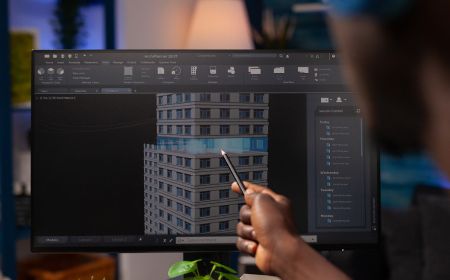
Autodesk AutoCAD License

AutoCAD Software: Empower Your Design Process
- Complete your projects faster with AutoCAD’s automations and customizations.
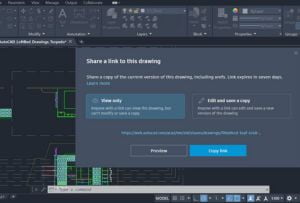
- Share and annotate drawings safely and securely across desktop, web, or mobile devices.
- Only Autodesk has TrustedDWG® technology to ensure fidelity and compatibility for your DWGs.
Design with Confidence: Buy an AutoCAD License Today
Purchase your AutoCAD license today. Explore our competitive AutoCAD license prices and find the best option for your needs. Unlock the power of AutoCAD and enhance your design projects. Get started with AutoCAD and experience its exceptional value and capabilities firsthand.
What’s New in AutoCAD 2024?
- Design and annotate 2D geometry and 3D models with solids, surfaces, and mesh objects
- Automate tasks such as comparing drawings, replacing blocks, counting objects, creating schedules, and more
- Customize workspaces to maximize productivity with add-on apps and APIs

AutoCAD 2024 family of products overview (video: 1:34 min.)
What you can do with Autodesk AutoCAD

Unlock more efficient workflows

Work anywhere with AutoCAD on the web and on mobile
Customize your workspace and extend AutoCAD
Highlighted Features
-
New Features Overview
This video shows the key enhancements in this release.
-
Activity Insights
Activity Insights provides an understanding of the past actions that you or others have performed with regard to your drawings.
-
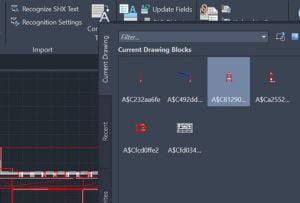
Smart Blocks: Placement
The new smart block functionality can offer placement suggestions based on where you’ve placed that block before in the drawing.
-
Markup Assist
This release includes improvements to Markup Assist that make it easier to bring markups into your drawing.
-
Trace Updates
The Trace environment continues to improve and now includes the new COPYFROMTRACE command and new settings controls on the toolbar.
-
Autodesk Docs Improvements
Improved performance and navigation on the Start tab for drawings stored on Autodesk Docs.
-
Start Tab Updates
The Start tab continues to be improved in this release including new options to sort and search recent drawings.
-
File Tab Menu
Use the new file tab menu to switch between drawings, create or open a drawing, save all drawings, close all drawings, and more.
-
Layout Tab Menu
Use the new layout tab menu to switch between layouts, create a layout from a template, publish layouts, and more.
Workflows
(Watch video 1:58 min.)
AutoCAD + Architecture toolset Speed up your architectural design process with the Architecture toolset.

(Watch video 1:48 min.)
AutoCAD + Electrical toolset Save time on electrical designs with the Electrical toolset.

(Watch video 1:51 min.)
AutoCAD + Mechanical toolset Create mechanical designs faster using the Mechanical toolset.
Tailored to work for your industry

Mechanical toolset
Up to 55% gain in overall productivity

Electrical toolset
Up to 95% gain in overall productivity

Raster Design toolset
Up to 48% gain in overall productivity

Architecture Engineering Construction Collection
Extend AutoCAD for product & production design
The Product Design & Manufacturing Collection helps engineers tackle their most ambitious projects with a powerful set of applications that extend the capabilities of AutoCAD and Inventor for end-to-end product development and facility layout.
Product Design & Manufacturing Collection includes:

Inventor

Navisworks Manage

Fusion 360

+ More

Factory Design Utilities
Exclusive to AutoCAD in the Product Design & Manufacturing Collection